I'm using Ubuntu now. It's really impressive. However, every time I open my laptop, it's quite annoying to double click on the partition to have them mounted before use. After doing some research, the following is a tip to overcome that.
Go ahead and install ntfs-config. If you don't know how to install software in Ubuntu.
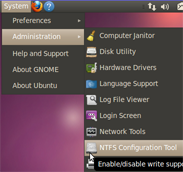
Once ntfs-config is installed, go to System > Administration > NTFS Configuration Tool to launch it.
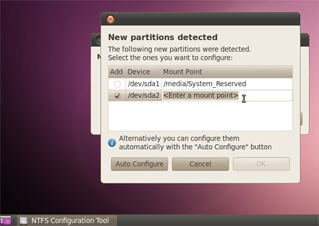
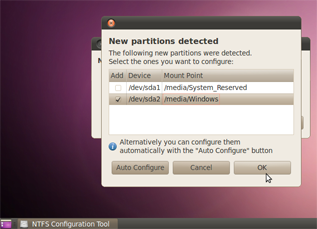
Where it says , type what directory you want the drive to appear in. /media/Windows is a good choice if you can't think of anything else.
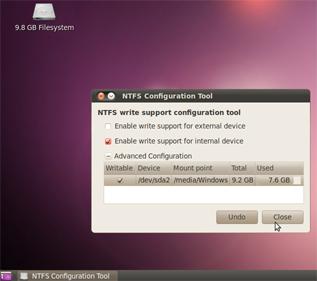
The window hiding behind that one allows you to enable write support for the device, too.